Two roads: purchases coming in and members going out. Both are copy-and-paste — and this guide is honest about which email tools need a bridge and why.
Know which direction you need
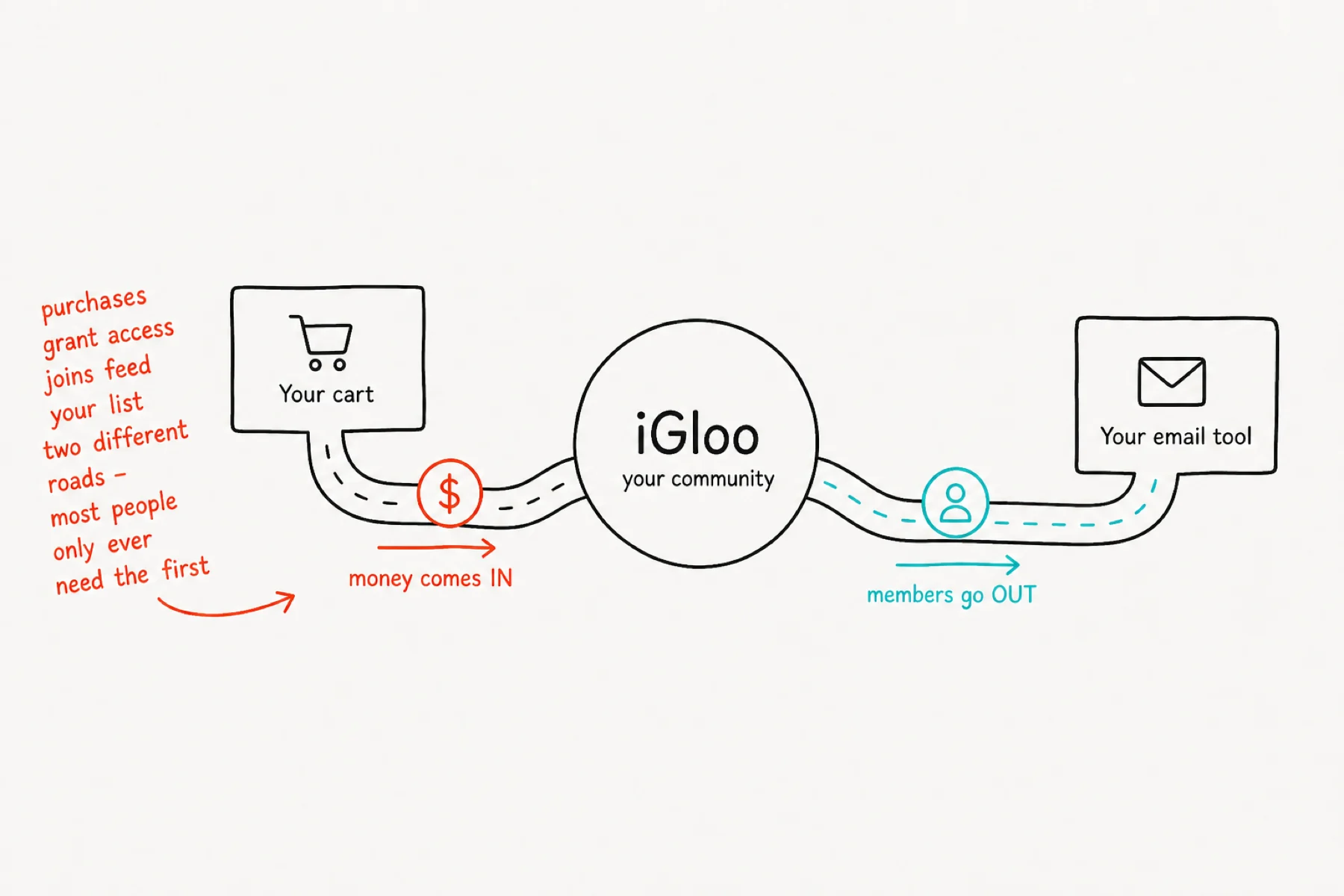
Integrations run two ways, and they are not the same job. Money in: your checkout tells iGloo someone paid, and iGloo grants what they bought. Members out: iGloo tells your email tool that someone joined.
Almost everyone needs the first. The second is what people mean when they ask about Kit or Mailchimp.
Connect your cart
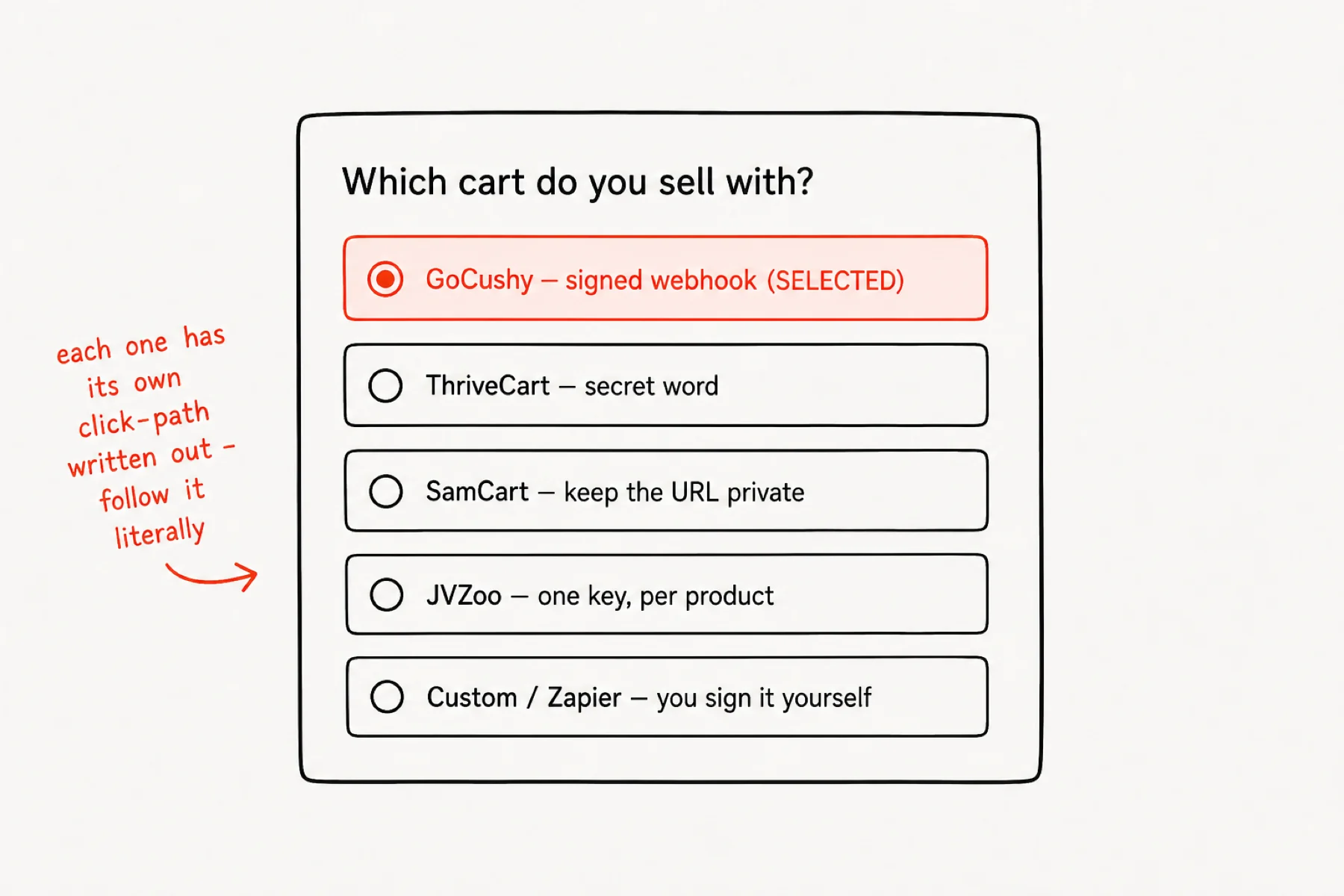
Settings → Integrations lists the carts iGloo speaks natively: GoCushy, ThriveCart, SamCart, JVZoo, plus a Custom/Zapier endpoint for anything else. Pick yours and follow the click-path on screen — it names the exact menus.
A purchase grants access; a refund revokes it. You are not writing any code.
Paste the URL and the secret
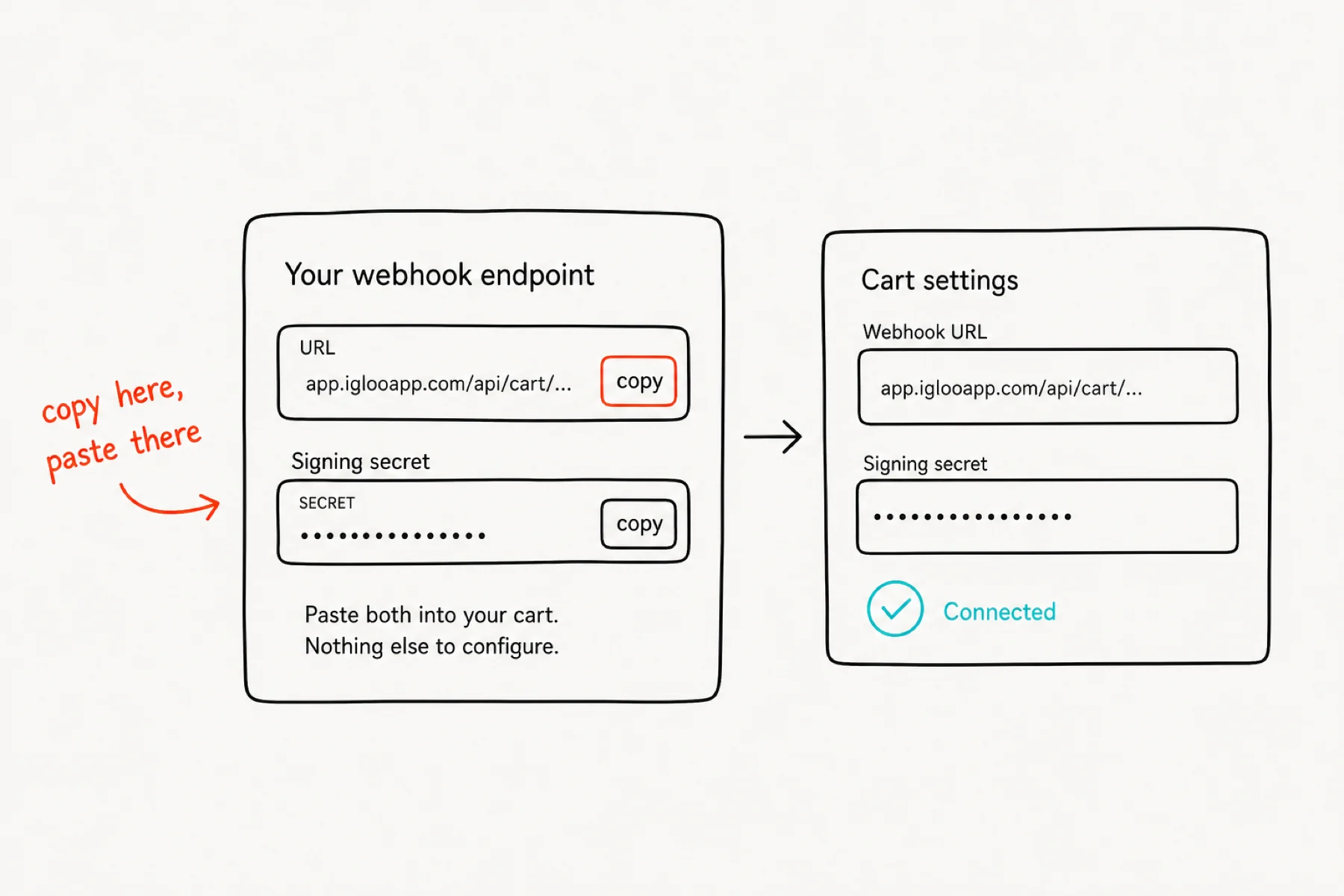
Every cart needs the same two things from this page: your webhook URL and your signing secret. Copy each with the button and paste it into the cart's own webhook settings.
The secret is how iGloo knows a delivery is really from your cart. SamCart is the exception — it sends no signature, so there the unguessable URL is the only protection: never paste it into a screenshot or a support ticket.
Say what each product unlocks
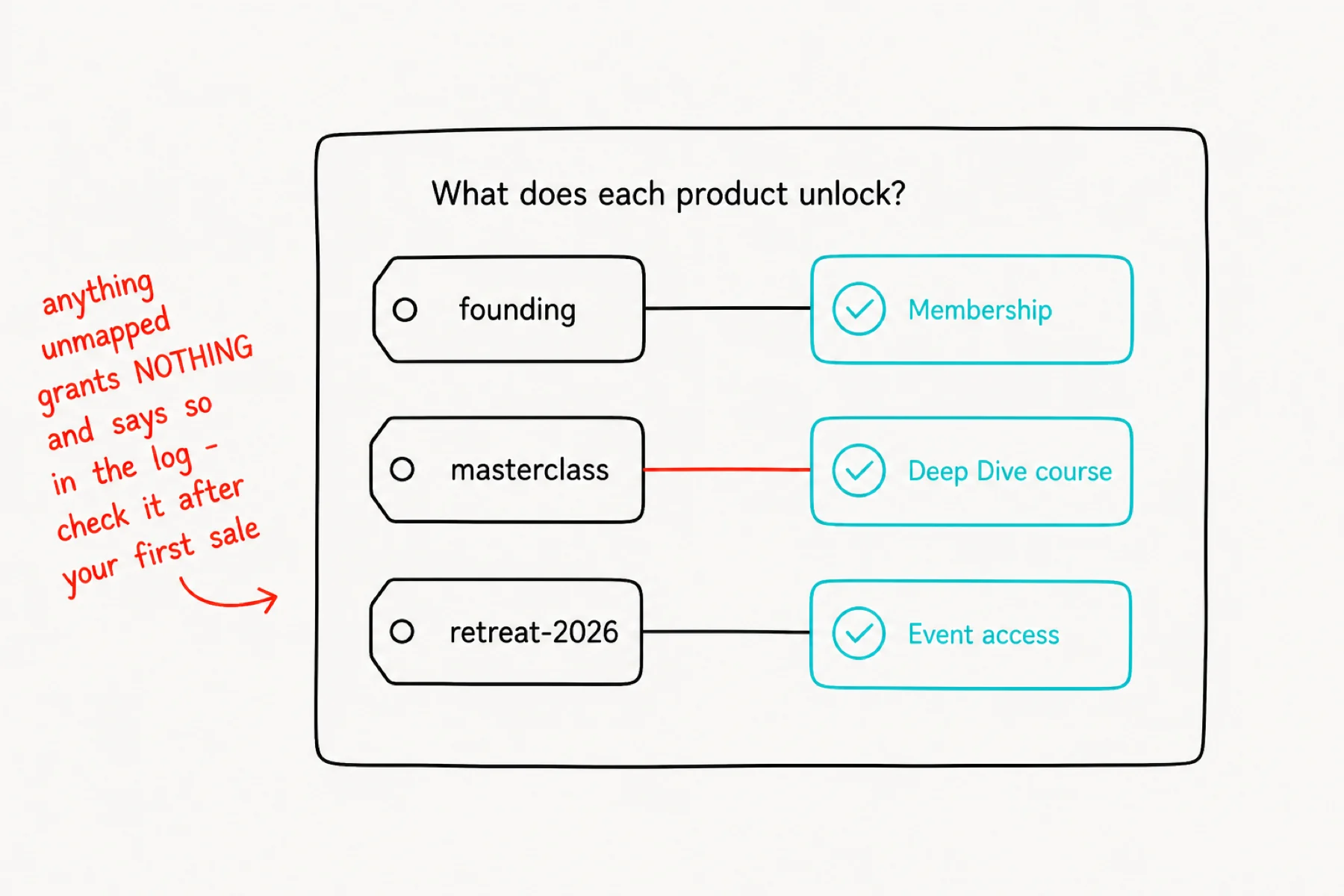
Map each product you sell to what it should open: membership, a specific course, or an event. The product ref is whatever your cart calls it — an offer slug in GoCushy, product_2 in ThriveCart, a numeric id in JVZoo.
Anything unmapped grants nothing and is recorded as “unmapped” in the delivery log. Read that log after your first real sale — it is the fastest way to catch a typo.
Send new members to your email tool
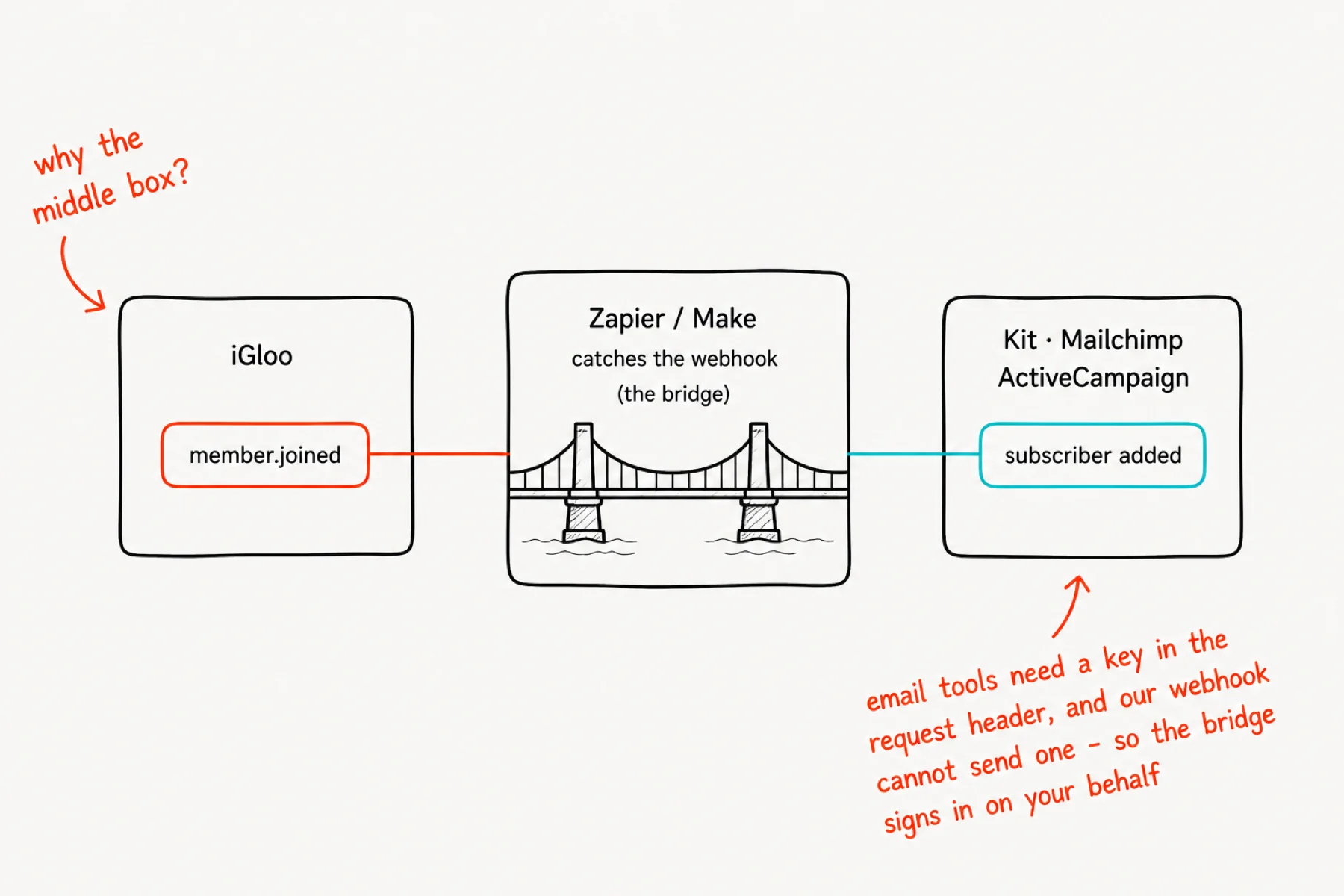
iGloo fires one outbound event, member.joined. Paste a catcher URL into that field and every new member flows out to wherever you keep your list.
Read this part carefully, because it saves a support ticket: Zapier and Make accept the webhook directly. Kit, Mailchimp and ActiveCampaign cannot. Their own webhooks run the other way — they notify you — and their APIs need a key in the request header, which our outbound webhook cannot send. So you bridge through Zapier or Make, then use that tool's Kit or Mailchimp action.
In Kit, pick Add Subscriber to a Form rather than creating a bare subscriber — a form or sequence is what actually starts your welcome email. The panel carries copy-paste steps for each tool.
If something is not working
A purchase granted nothing: the product ref is not mapped, or is mapped with a different spelling. The delivery log names what arrived — map that exact string.
Deliveries show as unverified: the signing secret does not match. Re-copy it; do not retype it.
Kit is not receiving anyone: check the bridge, not iGloo — in Zapier the step must be a Kit form or sequence action, not “create subscriber”.
Nothing at all arrives: send the test event from this page. If the test lands and real sales do not, the problem is in the cart's own webhook settings.